


Video Downloader - Save Videos
4.53.69K Reviews
App Specs
- Version
- 1.29.7
- Updated On
- License
- Free
- Downloads
- 10,000,000+
- Developer
- All Video Downloader, Saver & Player Studio
- Categories
- Video Players & Editors
- Platform
- Android
Screenshots
 Analysis by AppCompare
I usually reach for a video saver when I know I’ll want to watch something later without depending on a steady connection. Video Downloader - Save Videos is built for that simple job: it brings finding a clip, saving it, and watching it again into one app. The appeal is straightforward, but the best results still depend on where the video comes from and whether saving it is permitted. I’d treat it as a handy personal tool, not a way around a creator’s or platform’s rules.
When a separate saver makes sense
For a clip I only need once, streaming in a browser or the original app is usually easier. A downloader becomes more useful when I expect to revisit something: a cooking technique, a repair demonstration, or a short lesson I want to review while travelling. Keeping that material together can also be more convenient than hunting through browser tabs or trying to remember which platform hosted it.
This app is a free Android video player and editor-category app from All Video Downloader, Saver & Player Studio. It has a 4.5 average from around 124,000 ratings, and it has passed 10 million installs. That kind of reach suggests plenty of people have tried it, though popularity alone does not tell me whether every source will work equally well. Its Everyone age rating makes it broadly accessible, but users should still make sensible choices about what they save and share.
From finding a clip to watching it later
In the basic workflow, I start with a video I’m allowed to keep, locate it through the app’s search area, and use the download control when it is available. Then I check the saved item in the app and play it there. That single place for saving and viewing is the practical point: there is less switching between a browser, a file manager, and a separate player just to get back to one clip.
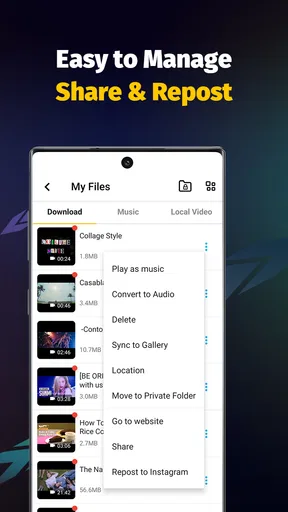
A useful habit is to decide what I want the download for before saving it. If it is a quick reference, I can watch it once and remove it when I no longer need it. If it is a tutorial I expect to revisit, I can keep it grouped with related material using the app’s playlist option. This small bit of planning prevents a collection of vaguely named clips from becoming harder to navigate than the online feed I was trying to escape.
Easy Peasy Video Saving
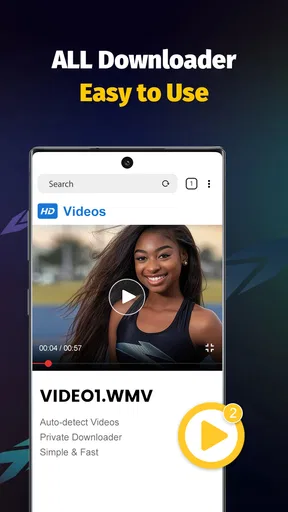
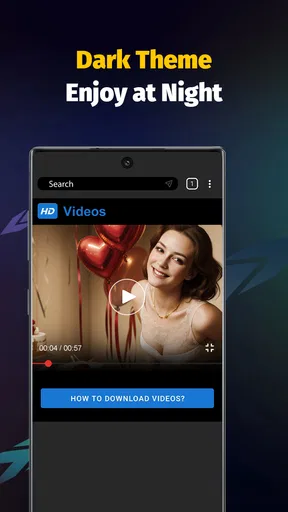
Okay, let’s dive right into the juicy stuff. Once you download and open Video Downloader - Save Videos, you’ll notice just how user-friendly it is. Seriously, even if tech isn’t your thing, navigating this app feels like a walk in the park. The interface is straightforward, with a search bar right at the top to kick things off. You type in your desired video, and voila, you’re on your way to downloading it.
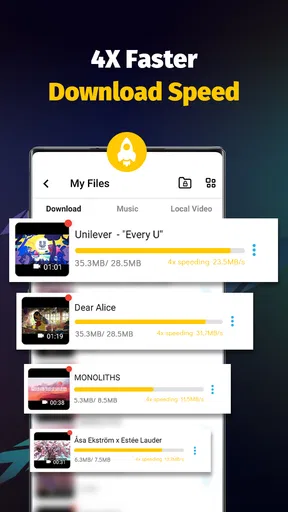
I have to mention how quick this thing is. I’ve tried a bunch of other downloaders, and let me tell you, some of them are slower than a snail on Sunday. But with this app, the download speeds are impressive. You can snag a video in just a few taps and watch it offline whenever you want. It’s like having your own personal video library in your pocket.
Worth Reading Before You Choose

EA SPORTS FC Mobile 26 Is a Bigger Football Game, but It Takes Time

Flipboard Shows What News Apps Must Do Beyond the Feed

Switching to Android Auto Means Rethinking Your Driving Routine

Google Calendar Makes a Crowded Week Easier to Manage

Ludo King Makes the Most of the Minutes Between Plans

Baby Panda World Brings Quick Play to Modern Phones, but Its Game Library Feels Busy
Formats and Features Galore
Now, let’s talk about formats. One of the coolest features of this app is its ability to handle multiple file formats. Whether you’re downloading in MP4, AVI, or even the less common 3GP, this app has got you covered. You won’t have to worry about compatibility issues when transferring files to different devices.
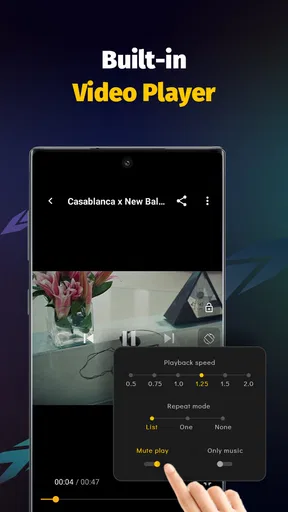
Another nifty feature is the built-in video player. No need for an extra app to watch your downloads. The player is smooth, and you can even create playlists to keep your videos organized. This is a big plus if you’re like me and love having everything neatly sorted.
What happens when you hand the file off?
Saving a video is only half the job if I later want to watch it on another device. A built-in player keeps playback convenient on the phone, while transferring a file introduces a separate step: I need to locate the saved item and use whatever file-sharing method I normally trust. I would test that handoff with one unimportant clip before building a large collection, especially if I need a particular format or plan to move videos to a tablet or computer.
Format support can reduce compatibility headaches, but it is not a guarantee that every source will produce every format or that every receiving device will handle a file identically. My practical approach is to try a short, nonessential clip first, check that it plays in the app, and then test it on the destination device if transfer matters. That is less frustrating than downloading a long video only to discover that the handoff is the weak link.
Safe and Secure
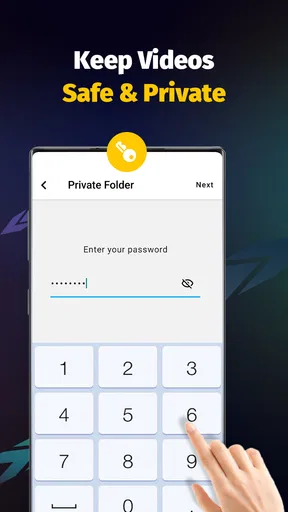
Security is a big deal these days, and rightly so. With Video Downloader - Save Videos, you can rest easy knowing your downloads are safe. The app doesn’t store any of your personal information, and it’s regularly updated to keep any pesky bugs at bay. Plus, there’s no need to worry about annoying ads popping up every five seconds. The experience is seamless and, most importantly, secure.
I still recommend treating any downloader with normal care. Save only material you have permission to keep, and avoid entering account details or personal information into unexpected prompts. A local copy is also not the same as a backup: if a clip matters, keep a separate copy using a method you already trust rather than assuming the app is the only safe place for it.
One-Touch Magic
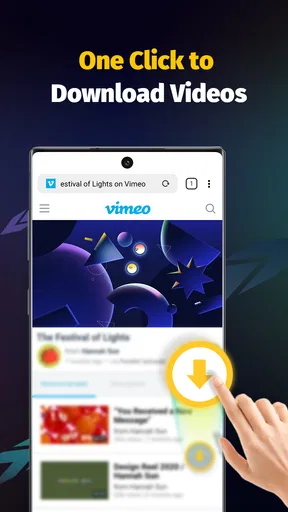
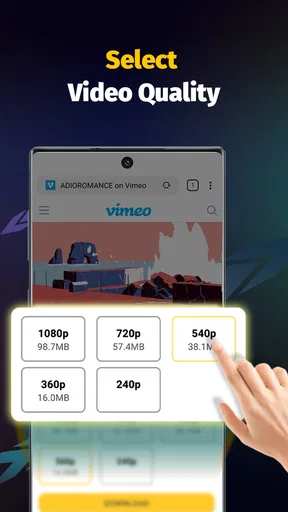
Let’s talk about the one-touch download feature because it’s kind of a game-changer. You come across a video you like, hit the download button, and bam — it’s yours. It’s almost too easy. The app even lets you manage multiple downloads at once, saving you time and hassle. And for those moments when you’re unsure about the video quality, you can preview it before deciding to download. Pretty nifty, right?
A realistic day-to-day test
Imagine I’m preparing for a trip and want to keep a permitted instructional clip handy for a moment when the connection may be unreliable. I find it, preview it, save it, and play it once before leaving. That last check matters: it confirms that the download is usable while I still have time to try again. I can then place it in a playlist with other trip-related videos rather than relying on memory or searching through a crowded library later.
For several clips, I would save them in a small batch and check the results before walking away from the app. Managing multiple downloads is convenient, but it does not remove the need to confirm that each item completed and opens correctly. If storage space is tight, choosing only the clips I genuinely expect to revisit is a better workflow than collecting everything that looks interesting. Offline viewing is useful only when the saved files remain easy to find and the device has room for them.
Where the workflow can stall
The most important limitation is that a downloader cannot make every online video available to save. A source may restrict downloading, a page may change, or a clip may not behave like a straightforward video file. I would not assume that a search result guarantees a successful download. If a particular video is blocked or unavailable, the more reliable choice is often the source’s own offline option, when it offers one, or simply streaming it through the original service.
There is also a difference between “the app can handle multiple formats” and “every file will transfer cleanly to every device.” The first is useful flexibility; the second depends on the file and the equipment receiving it. Anyone who needs dependable playback on a television, editing software, or a specific media player should test the intended route before relying on it. For casual phone viewing, the built-in player is the simpler path; for a carefully managed media archive, a dedicated file manager or desktop workflow may be a better fit.
Another trade-off is that a one-tap action can make it easy to save more than I need. I’d use playlists to keep a purpose in mind—such as recipes or study references—and periodically remove clips that no longer have value. That is a more useful organization strategy than treating the app as an unlimited archive. It also makes the player’s library easier to scan when I want one specific video quickly.
Who will get the most from it?
I think this app suits people who want a straightforward way to save permitted clips for personal offline viewing, especially when they value a built-in player and simple playlist organization. It can also help someone who repeatedly consults short demonstrations and wants them collected in one place. The app is free, and its current version is 1.29.5; it requires Android 7.0 or later, so it is not an option for someone using an older Android release.
I would skip it if my main need were a guaranteed downloader for every website, a professional media-management system, or a way to move large collections across devices with no extra handling. In those cases, an official offline mode, a desktop transfer workflow, or a dedicated player may be more dependable. It is also not the right tool for saving content against a creator’s wishes or a service’s rules. The best use is narrower and more practical: keep a few appropriate videos ready for later, then watch them in the app.
Final Thoughts
So, is Video Downloader - Save Videos worth the download? In my humble opinion, absolutely. It’s reliable, fast, and makes downloading videos a breeze. Whether you’re saving tutorials, music videos, or your favorite cat memes, this app has you covered. So why not give it a whirl and see how it fits into your digital life?
Hit that download link and start building your offline video collection today. Trust me, you’ll wonder how you ever managed without it.
Pros
- Supports multiple video platforms.
- High-speed download capability.
- User-friendly interface design.
- Allows batch downloading.
- Offers built-in video player.
Cons
- Contains in-app advertisements.
- Limited features in free version.
- Requires permissions access.
- No cloud storage integration.
- Occasional download failures.
FAQs for Video Downloader - Save Videos
What video platforms are supported by Video Downloader - Save Videos?
Video Downloader - Save Videos supports a wide range of video platforms, including popular sites like YouTube, Facebook, Instagram, and Twitter. However, compatibility may vary depending on the app version and platform policies. Always ensure compliance with terms of service when downloading content from these sites.
Is Video Downloader - Save Videos available for both Android and iOS devices?
Yes, Video Downloader - Save Videos is available for both Android and iOS devices. Users can download the app from the Google Play Store for Android devices and the App Store for iOS devices. Check for compatibility with your specific device model and OS version.
How can I ensure the safety and privacy of my data while using the app?
To ensure the safety and privacy of your data when using Video Downloader - Save Videos, download the app from reputable sources like the Google Play Store or App Store. Review permissions requested by the app and limit access to only necessary data. Regularly update the app for security patches.
Does Video Downloader - Save Videos allow batch downloading of videos?
Yes, Video Downloader - Save Videos often supports batch downloading, allowing users to download multiple videos simultaneously. This feature can save time and streamline the downloading process. However, the number of videos you can download at once may depend on your device’s storage and internet speed.
Are there any in-app purchases or ads in Video Downloader - Save Videos?
While Video Downloader - Save Videos is typically free to download, it may include in-app purchases for premium features or an ad-free experience. Users can choose to upgrade within the app to enhance functionality or remove advertisements, providing a more seamless experience.


